Friday, 5 September 2008

Ubuntu Intrepid Ibex Features

The next version of Ubuntu has gone into feature freeze; this means that no new features will be added and the focus now is on fixing bugs and polishing things up. So, I thought this would be a good time to compile a list of some of the interesting features we can expect in Intrepid Ibex. However, unlike Hardy Heron, it was much more difficult to pick out the interesting features. There simply isn't a lot to get excited about( for the average user anyway). After spending ages going through the list, I did manage to pluck out a few which I find interesting.

3G Networking Support

A lot of people are predicting that netbooks/laptops with 3G cards are going to be very popular in the future. Having 3G support will allow Ubuntu to be a real alternative to Windows in that area. Version 0.7.x of the Network Manager will also bring better network management.

Cleanup-Cruft

If like me you dual boot Ubuntu and Windows you may find it annoying that every time there is a kernel upgrade the old kernel is not deleted, this results in a massive boot menu full of old Ubuntu versions. This will thankfully change with Intrepid Ibex. A new tool called system-cleaner will clean up not just old kernels but a whole load of others settings and packages for a better Ubuntu experience.

Better Flash Experience

Although there have been many improvements in this area, Flash in Linux can still be a pain. With this feature, they are aiming to provide users with a more pleasant experience both with installation and usage. There will also be better support for free Flash alternatives; with the long term aim of shipping Ubuntu with a open source Flash alternative.


Guest Account

If you want to allow others to use your computer but have limited user rights; the addition of a guest account by default is a welcome feature. The guest account will have its own 'Home' folder but have restricted system access along with no permanent hard disk storage.

USB Installation Images

If you own a eee pc or any other netbook, installing the next version of Ubuntu should be much simpler than it is now. I am looking forward to buying an eee pc and I'm hoping this feature gets implemented.

Better Login Speed

The time that Ubuntu takes to go from the GDM login prompt to a usable desktop is too long; it should be made faster. A feature that's always welcome.

Kernel Crash Dump

It's very rare but if you do encounter a kernel crash, it will be much easier to provide a bug report with a crash dump file available.

Automatic Printer Driver Download

Instead of shipping with loads of printer drivers included, Intrepid Ibex will automatically download your printer driver package from the OpenPrinting database.

Ubiquity Visual Refresh

I didn't really know what Ubiquity was until I read this feature. Ubiquity, which is the tool you use to install Ubuntu, will get a makeover.
Encrypted Private Directory

Will provide a default location for users to securely store sensitive data using filesystem encryption.

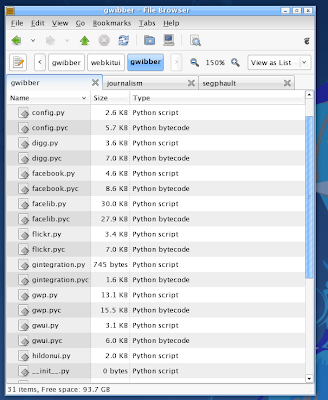
Nautilus Tabs Support

GNOME 2.24.x will bring support for tabs in Nautilus along with the ability to restore files from Trash.


After reading through the list again I guess there is a few things to look forward to. I hope these features make it in the final release. If I have missed anything let me know.

Playdeb: Ubuntu Games Repository

A lot of people new to Linux are under the impression that once you start using a Linux distro you have to abandon any and all gaming. Sure, you won't be playing Crysis like games on Linux anytime soon, however there are plenty of quality games out there.

I don't play games as often as I used to, but it would still be nice to have good games available when I get bored or need to relax. It's not very easy finding games for Linux, they tend to be scattered around the web. Now, users of Ubuntu, and any Debian based distro's I presume, have a repository created specifically for games.

Playdeb is brought to you by the same people who created Getdeb.net. Installing games is as simple as clicking a link. To start using Playdeb you need to install two deb packages. The first package is an updated version of AptUrl, which enables software to be installed from links in websites. The second deb adds the Playdeb repository to your list of sources. Once you have done that, you can go to the list of games and start installing.


Playdeb is currently in beta and so has a limited number of games available, but keep an eye on it because the list will be expanding soon.

Tuesday, 2 September 2008

Google Chrome: First Impressions

I've went ahead and downloaded Google's new browser, after spending a few minutes playing around with it my first impressions are: it's fast and very light.

Unfortunately there is no Linux version as of yet, only the windows version has been released. There was a noticeable speed increase when loading most of the sites I went on compared to Firefox and IE 7. Didn't notice any big differences between Chrome and Opera, they were both very fast. One area where there is much more noticeable difference between Chrome and Firefox is memory usage. From what I've seen, Chrome uses much less memory than Firefox. With one tab open Firefox was using 88143k, whereas Chrome had a combined memory usage of
27956k.

Chrome is very similar to Safari, they are both based on WebKit, and they both load my blog incorrectly. As you can see from the screenshot below, Chrome can't seem to load my Navigation menu properly. I also get some alignment issues in both Safari and Chrome. I used to think coding for IE was a pain but getting things to work in Safari and now in Chrome is going to be trickier. If something looks mis-aligned in IE, all I have to do is add a # in front of some extra alignment code and it's fixed, however no such fixes seem to exist for Safari. Another big annoyance I have with Safari and Chrome is that holding down the middle-mouse button doesn't scroll.


The browser looks very nice, I like how the address bar also acts as a search bar without an extra box next to it like in Firefox. The tabs being at the top feels a little weird, being used to Firefox for so long, but it won't take long for someone to adapt to it. Just like the comic said the browser creates a new thread for every tab, I tried killing one of the processes and all that happened was one of the tabs closed.


Here is the browser in Incognito mode. A very useful feature but I prefer the noscript/cookie control plugin options for Firefox.


So to sum it up Chrome is a very light and fast browser, however I am not going to be replacing Firefox anytime soon. Not until they add proper scrolling and I can figure out how to make my site look like the way it looks in all other browsers. Anyway they still yet to release a Linux version. Anyone else tried it? Let me know what you think of it.

Update: Another reason why I won't be using Chrome is because of the following part of the license agreement:

"By submitting, posting or displaying the content you give Google a perpetual, irrevocable, worldwide, royalty-free, and non-exclusive license to reproduce, adapt, modify, translate, publish, publicly perform, publicly display and distribute any content which you submit, post or display on or through, the services. This license is for the sole purpose of enabling Google to display, distribute and promote the services and may be revoked for certain services as defined in the additional terms of those services."

Update 2:
Google have changed the Terms of Service for Chrome, the above no longer applies. You are free to surf the web using Chrome.

Google Chrome Browser

Google has released a comic to tell you about the browser its been working on, you can see the comic here. Chrome, as its been called, is based on the open source Webkit engine. Google claims to have created a browser for the 21st century with a fresh view on security, stability and speed.


Some of the features of the new browser include:

New JavaScript engine called V8


V8 is a JavaScript Virtual Machine built from scratch to improve browser speed and performance. As well as reducing bloat, chrome will allow you to view the performance of web pages and plug-ins, the process manager will let you see how much resource is being used by a particular component.

The browsers available now are all single threaded applications, chrome on the other hand will run every component and tab as a separate process. The modular nature will improve stability; if one of the tabs or components crashes it will not take the entire browser down.

The best thing about V8 is that it's open source and independent of the browser itself. This means that other browsers and developers can use it.

Tabs and 'Omnibox'

Tabs is not a new feature, however as mentioned above, each tab in chrome will be independent with its own address bar dubbed 'Omnibox' by Google. The address bar will feature smart auto-completion and search capabilities. Unlike Firefox, the tabs in chrome will be above the address bar and every time you open a new tab you will be presented with a page with 9 of your most visited websites along with other bookmarked sites.


The above feature is similar to Opera's 'speed dial'.

There is a privacy feature called 'incognito' which will allow you to surf without storing any information such as cookies.

Enhanced Security

Google has made security its top priority for chrome. As well as running each component separately, each tab will also be sandboxed to prevent malware from installing itself. Each process will run with least privileges to prevent them accessing sensitive areas.


A lot of people have been criticizing the look of the browser but I like it, it's very simple and elegant and I like the colour blue(as you can probably tell from my site).

Google plans to release a beta version of the browser tomorrow. Looking forward to trying it out. Check out the links below for more info.

Links:
Google Blog
Chrome comic

Sunday, 31 August 2008

Feng GUI: Free Heatmap Service

Feng GUI is a free heat map service which unlike other services, generates its heat maps using algorithms. A heat map is visual representation of how people interact with a website, it shows areas where people pay more attention to as being 'hot' and low attention grabbing areas as being 'colder'. There are several ways to generate a heat map; you can track peoples eye movements, track mouse clicks or, as Feng GUI does it, use algorithms which try to predict what a human might look at.


"Feng-GUI empower designers and advertisers to effectively analyze Attention and Attraction in visuals."


They created the algorithms from research in neuro-science, Feature integration theory, Salience, visual Attention, eye-tracking sessions, perception and cognition of humans. The algorithm tries to determine what someone will look at within the first 5 seconds of image exposure. They claim that the technology is 70% accurate when compared to eye and mouse tracking. If this is true then Feng GUI is a very effective and cheap, ie free, way of analyzing placement of content or ads.


The website is very easy to use, you simply upload a picture of your site or anything you like and you will then be presented with a heat map after a few seconds. Below you can see two heat maps of my site.


This is definitely a very interesting idea and can be a cheap and quick alternative to some paid heat map services. I hope they can improve the algorithm further. Try it out for yourself and let me know what you think about it.

Link:
Feng-GUI

Sunday, 24 August 2008

Right Brain or Left Brain

Here is a little trick to determine which side of your brain is dominant. If you see the dancer turning clockwise, like I do, you use more of the right side of your brain and if the dancer is turning anti-clockwise your left side of the brain is more dominant. It's a weird feeling to know that other people are seeing this moving picture differently. However, if you concentrate you can see the dancer go the opposite way. It took me about a minute to do it the first time but the switch is instantaneous. If you can make the dancer turn the opposite way then try this; have two copies of the picture open, hide one and concentrate on the other to make it spin the opposite way to normal. Once you have it spinning in the other direction bring up the second picture of the dancer, you should be able to see the second picture turn in the 'normal' way while the first picture turns the opposite way. This only works while one of the pictures is hidden from view.


It has been shown that the two sides, or hemispheres, of the brain are responsible for different ways of thinking.

Left Brain:
Logical
Sequential
Rational
Analytical
Objective
Looks at parts

Right Brain:
Random
Intuitive
Holistic
Synthesizing
Subjective
Looks at wholes

Please be aware that this method of identifying lefties and righties is not very accurate, the brain is a lot more complicated, but it's fun though. Let me know which way the dancer spins for you.

Wednesday, 20 August 2008

Tuesday, 19 August 2008

Mathematics of Beauty

Researchers at Cambridge university have found that the closer a woman's hips to waist ratio is to 0.7 the sexier her walk is. This is one of the reasons why Cambridge is one of the best universities in the world. So, a woman with 25 inch waist and 36 inch hips, has all she needs for a perfect walk. You may not be surprised to hear that Jessica Alba has that magical ratio. For men, a ratio of 0.9 has been shown to have a strong correlation with general health and fertility.


It has been known for a long time that a well proportioned body and face are very appealing. Symmetry is also an important factor in beauty. Another example of this is the golden ratio. It has been shown that we humans find things more beautiful if its proportions are close to the golden ratio. This does not just apply to human bodies but also to the design of buildings.


A face mask made using the golden ratio, beautiful people such as Jessica Alba have a very close fit to this mask. The golden ratio doesn't just apply to the face, I did a quick measurement on my hand and the proportions come to about 1.48. Which, when compared to 1.62 of the golden ratio, means I am hideous. Anyway, for more information check out the links below.

Links:
Telegraph.co.uk
intmath.com